

What is FlowReactor?
Inspect dependency traffic, simulate local services and test how your application handles delays and failures.
On this page
FlowReactor is a desktop app for inspecting and controlling traffic between your application and its dependencies. Use it to develop against a local API, inspect database queries, or reproduce a failure while your application runs.
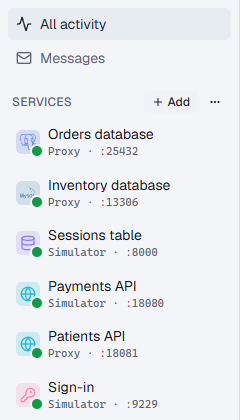
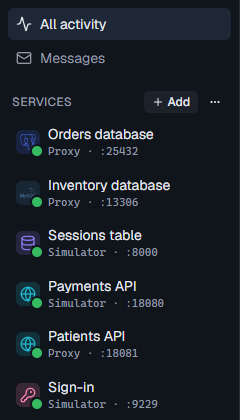
Connect your application to a FlowReactor service by changing its database address, API base URL or SDK endpoint. Requests appear in the Activity timeline, where you can inspect their contents, results and timing.
Work with real services through a proxy
A proxy forwards traffic to an existing service. You keep the real data and behavior while controlling what your application experiences.
- PostgreSQL: inspect queries and parameters, add delays, pause execution and return SQL errors.
- MySQL and MariaDB: inspect queries and prepared statements, pause operations and test connection failures.
- HTTP APIs: forward requests to a real API, mock or block selected routes, and create a mock from a captured response.
Database proxies require an existing database. Use a development database: queries you forward can read and change its data.
Develop against local simulators
A simulator answers requests itself. You configure the data and responses without connecting to the real service.
- HTTP API: define routes, conditional responses and dynamic response bodies.
- DynamoDB: create tables and items, inspect SDK calls and test throttling or failed writes.
- Cognito: configure user pools and test users, exercise sign-in and MFA, and inspect tokens and verification codes.
The DynamoDB and Cognito pages list their supported operations. Check those lists against the features your application needs.
Investigate application behavior
Use the Activity timeline to inspect individual requests and distinguish service time from injected delays. Breakpoints let you pause an operation, inspect it, then continue it, return an error or drop the connection.
For a specific test, follow a guide:
- Test database timeouts.
- Check API retries and error handling.
- Control query order to investigate a race.
- Test sign-in and MFA challenges.
Save services and their configuration in a project to reuse the setup.
Local connections
Services listen on the loopback address, 127.0.0.1. Applications running on the same computer can connect directly. Applications in containers, virtual machines or on other computers cannot connect directly to these listeners. See ports and addresses for connection details and limits.
Try it
Install FlowReactor, then follow the quick start to create an HTTP simulator, make a request and return a controlled failure.