

Projects
Save and reopen service configurations, breakpoints and simulator data.
On this page
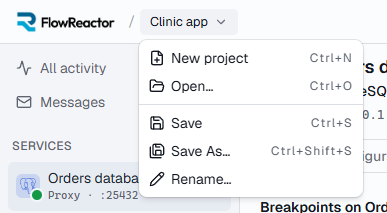
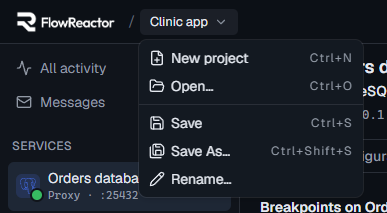
A project is a saved set of services: everything you've set up for one application. The project name is in the header, next to the FlowReactor logo; choose it to open the project menu.
| Menu item | Shortcut |
|---|---|
| New project | Ctrl + N |
| Open… | Ctrl + O |
| Save | Ctrl + S |
| Save As… | Ctrl + Shift + S |
| Rename… |
An amber dot next to the name means there are unsaved changes. Saving an untitled project asks for a name. Names are 1 to 100 characters and must be different from your other projects' names, ignoring case.
What a project keeps
| Saved | Not saved |
|---|---|
| Services, in order, with their configuration | Whether a service is running |
| HTTP routes and responses | The Activity timeline |
| Breakpoints and latency faults | DynamoDB items |
| DynamoDB table definitions | Cognito users created while running |
| Cognito user pools, app clients and the users you add in FlowReactor |
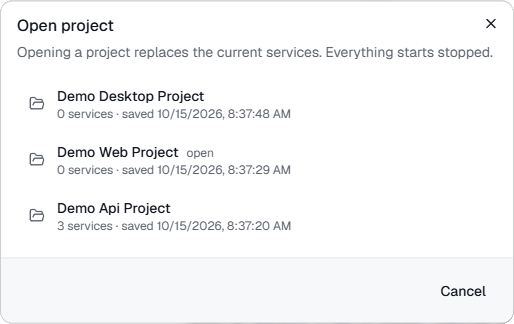
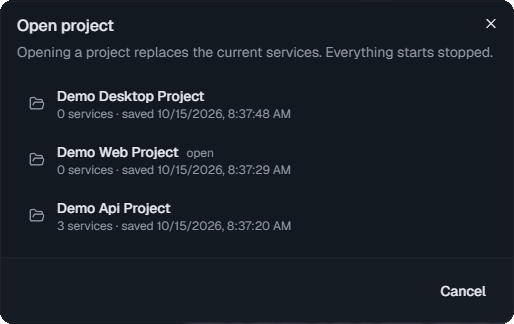
Opening a project replaces the current services, and everything starts stopped.
Projects are kept on your computer in FlowReactor's data folder, not as files you pick. Save As… saves the current services as a new project and switches to it; the original keeps its last saved state.
Unsaved changes
Before New project, Open…, quitting or installing an update, FlowReactor asks Save changes to …? with Save, Don't save and Cancel. Edits you haven't applied yet, such as a route you're still editing, count as unsaved changes, and Save applies them first.
Opening and deleting projects
Open… lists your saved projects with how many services each has and when it was saved. To delete one, hover over it and choose the trash icon. The open project can't be deleted, and deleting can't be undone.
When FlowReactor starts
FlowReactor reopens the last project you used. To start with a new, untitled project instead, turn off Settings › General › Reopen the last project when FlowReactor starts.