

HTTP API proxy
Forward requests to a real API, mock selected routes and test upstream failures.
On this page
The HTTP proxy sits between your application and a real HTTP API. Your application sends its requests to FlowReactor instead; FlowReactor forwards each one to the real API, called the upstream, and shows both sides in the Activity timeline.
From there you can answer some routes yourself, block others, and add faults, while everything else keeps reaching the real API.
Add the proxy
- + Add › HTTP proxy.
- Enter the real API's URL in Forwards to, such as
https://api.example.comorhttp://localhost:5001/api. - Check Listens on 127.0.0.1, port (default
18081). - Choose Add HTTP proxy, then Start.
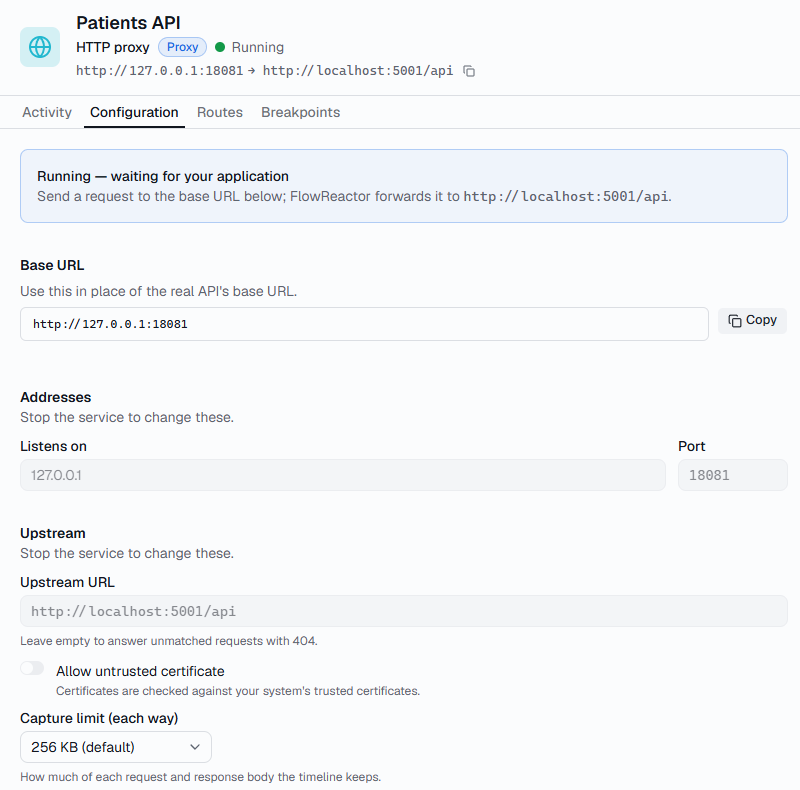
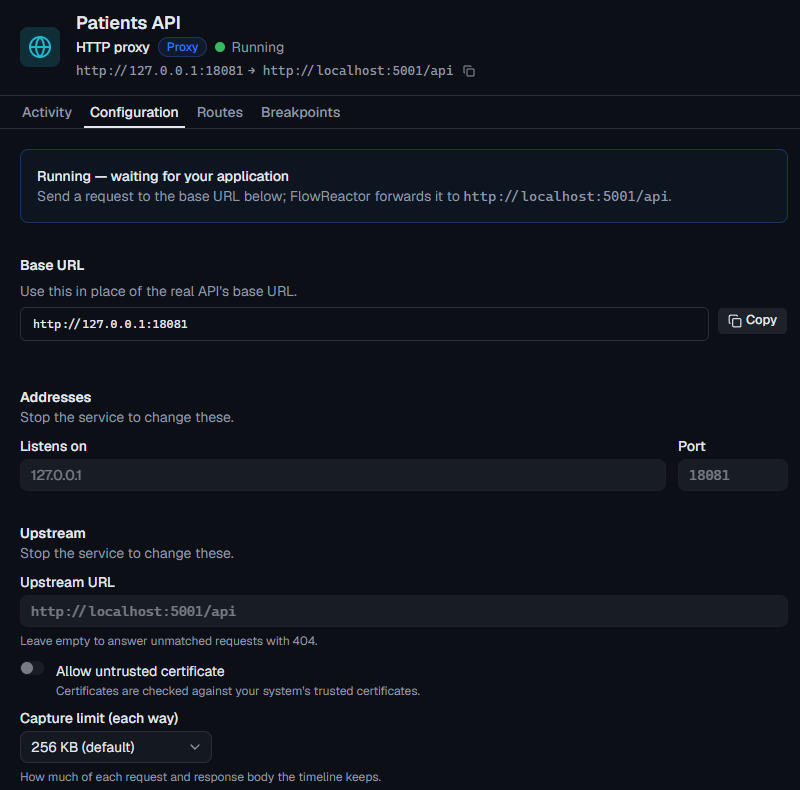
A new proxy has no routes, so every request is forwarded. The service header
shows both addresses, such as http://127.0.0.1:18081 → https://api.example.com.
Point your application at it
Replace the real API's base URL with http://127.0.0.1:18081. Configuration
› Base URL has it with a copy button. Then try it:
curl -i http://127.0.0.1:18081/users/42
The request reaches https://api.example.com/users/42, and the timeline shows
it tagged Proxied.
builder.Services.AddHttpClient("payments", client =>
    client.BaseAddress = new Uri("http://127.0.0.1:18081/"));
const baseUrl = process.env.PAYMENTS_URL ?? 'http://127.0.0.1:18081'
const response = await fetch(`${baseUrl}/users/42`)
import requests

BASE_URL = "http://127.0.0.1:18081"
response = requests.get(f"{BASE_URL}/users/42")
How requests are forwarded
FlowReactor adds the request's path and query string to the upstream URL, exactly as your application sent them. A path in the upstream URL isn't removed from requests that repeat it:
Upstream URL                Request        Sent to
https://api.example.com     /users?id=1    https://api.example.com/users?id=1
http://localhost:5001/api   /users         http://localhost:5001/api/users
http://localhost:5001/api   /api/users     http://localhost:5001/api/api/users
- The upstream URL can include a path, such as
/v1, but not a query string, a fragment, or a user name and password. - The
Hostheader is set to the upstream's host. Other headers pass through unchanged, except connection headers such asConnection,Keep-Alive,Transfer-EncodingandUpgrade, which apply to one connection only. - Redirects aren't followed: your application gets the
302and itsLocation. Cookies andLocationaren't rewritten, so a redirect to the real host leaves FlowReactor. - Only the upstream URL decides where a request goes. A
HostorX-Forwarded-Hostheader from your application never sends it elsewhere. - Request and response bodies of any size are passed on in full while they stream.
Mock, forward or block a route
Routes work as in the HTTP API simulator: a request gets the first route that is on and matches. Each route has an Action:
| Action | What the route does |
|---|---|
| Simulate | Answers with its own responses. The upstream isn't contacted. |
| Proxy | Forwards to the upstream. Use it to give one path its own faults or breakpoint. |
| Block | Answers without contacting anything: Answer with a status (400–599, default 403) or Drop the connection. |
Requests that match no route are forwarded. The last row of the routes list says so: Everything else → forwarded to https://api.example.com. Without an upstream, it reads Everything else → 404 Not Found.
A route keeps its responses when you switch it to Proxy or Block, so you can switch back to Simulate later. Choose Save routes: changes apply to the running proxy immediately.
For example, to test your application while the real /payments endpoint is
down, add a POST /payments/* route with the action Block, Answer with a
status, 503. Every other request still reaches the real API.
Create a mock from a real response
Turn a real response into a mock route, so you can work on that endpoint without the real API.
- In the timeline, select a forwarded request.
- Choose Create mock route.
- Pick the Path: exactly the captured path, or Any id, which replaces
ids with a path parameter, such as
/patients/{patientId}. With a query string, Match this query limits the mock to requests with those parameters. - Choose Create draft. FlowReactor adds a Simulate route at the top of the service's Routes, answering with the status, headers and body the upstream sent.
- Check it, then choose Save routes to turn it on. Saving the project alone doesn't.
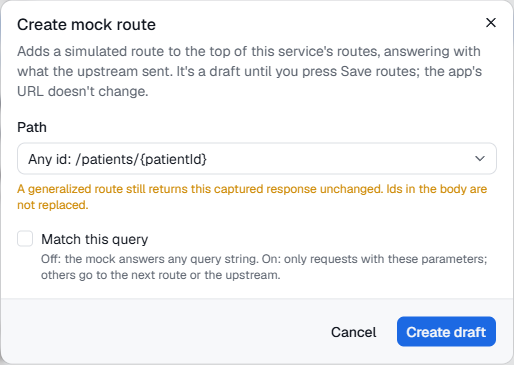
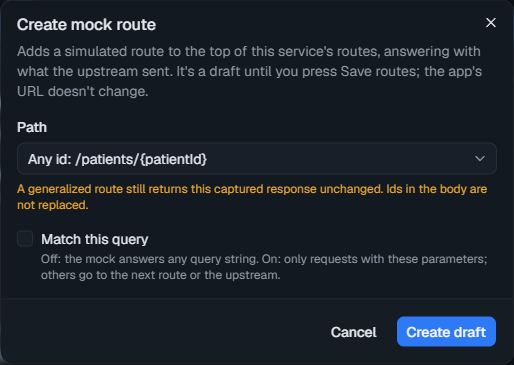
A generalized route still sends the captured response: ids in the body aren't
replaced. Use response templates, such as
{{path.patientId}}, if the body should follow the request.
If the body looks like it contains secrets, such as tokens or passwords, the draft lists the fields. Redact these replaces their values and leaves the rest of the body as it was.
Create mock route isn't available for requests that didn't complete, binary
or undecoded bodies, or partial (206) responses.
Inspect forwarded requests
Rows in the timeline are tagged with what answered them:
| Tag | Meaning |
|---|---|
| Proxied | Forwarded to the upstream, which answered. |
| Mocked | Answered by a Simulate route; the upstream wasn't contacted. |
| Blocked | Answered by a Block route. |
The Proxied and Mocked filters, above the timeline, show only those.
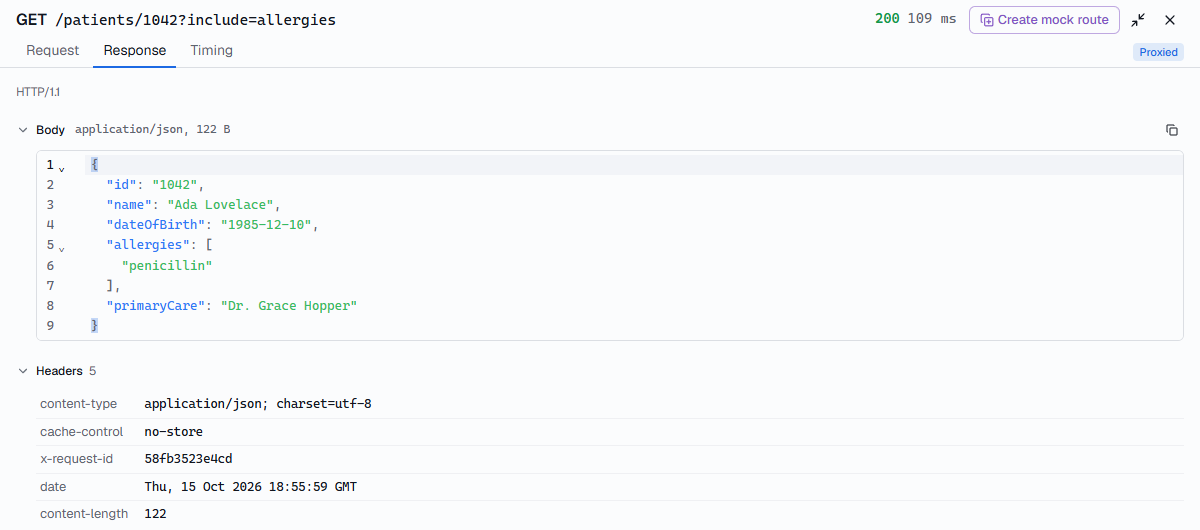
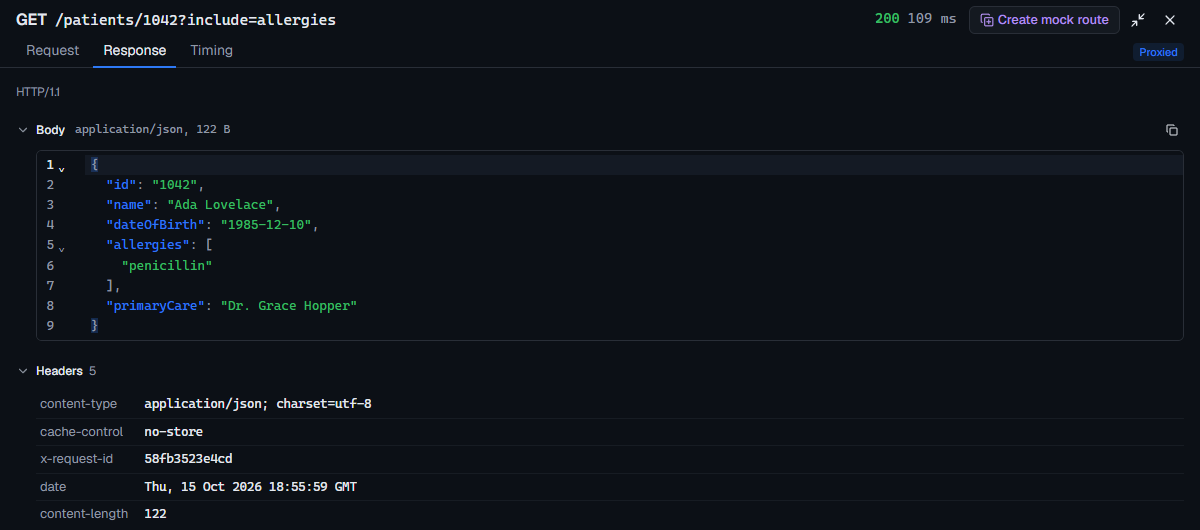
Select a row to see it in full:
- Request shows Sent to, the upstream URL the request went to, and
FlowReactor changed, the headers FlowReactor removed or set, such as
host. - Response shows the upstream's answer. When your application got
something else, such as an injected
503or a block, it shows What your app got and What the upstream sent side by side. - Timing splits the time into any pause, injected latency, the Upstream's own time, and FlowReactor's overhead. The response notes whether the upstream used HTTP/1.1 or HTTP/2.
Compressed bodies (gzip, deflate and br) are shown decoded, and your
application still gets the original bytes. Other encodings, such as zstd,
are shown as they arrived, marked not decoded.
The timeline keeps the first 256 KB of each request and response body. Change it in Configuration › Upstream › Capture limit (each way), from 16 KB to 1 MB. Your application always gets the whole body.
Authorization, Proxy-Authorization, Cookie, Set-Cookie and X-Api-Key
headers show as [redacted] in the timeline. They're still sent.
Configure latency and failures
Configuration › Faults applies to every request; a route's Faults can use The service's faults, None, or Its own faults instead. Each fault has a When:
- before the upstream sees it: the upstream never gets the request.
- after the upstream answers: the upstream handled the request, but your
application doesn't hear back. The timeline still shows the upstream's real
answer, so you can see that a payment went through while your application
got a
503.
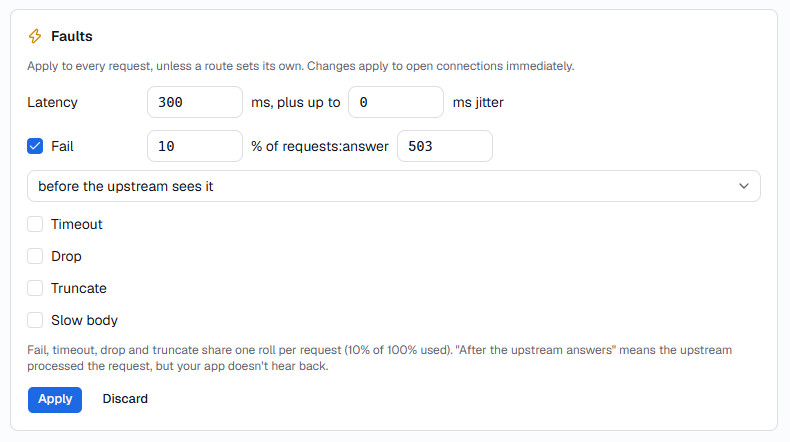
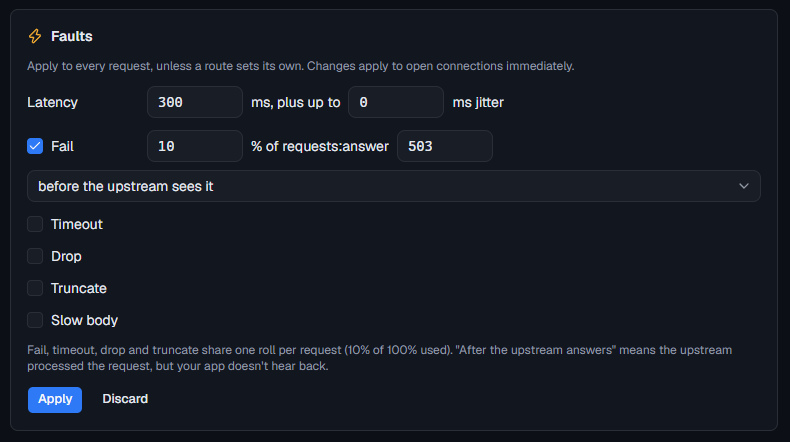
See Faults for each fault.
Breakpoints pause proxied requests too:
- Before handling: the upstream hasn't seen the request. Continue sends it on; Return status… answers without contacting the upstream.
- Before response: the upstream's status and headers have arrived, and your application hasn't got them yet. Return status… replaces the real answer.
Route changes made while a request is paused apply to it when it continues.
HTTPS upstreams and certificates
FlowReactor checks an https:// upstream's certificate against your
computer's trusted certificates. A development certificate you trusted, such
as one from dotnet dev-certs https --trust, works as it is.
For a local server with a self-signed certificate, stop the service and turn on Configuration › Upstream › Allow untrusted certificate. It applies to that service only. Leave it off for anything that isn't on your own computer.
FlowReactor uses HTTP/2 with an https:// upstream that supports it, and
HTTP/1.1 otherwise.
Settings
The Upstream section of Configuration has the proxy's settings. Stop the service to change them, then choose Save settings.
| Setting | Default | What it does |
|---|---|---|
| Upstream URL | none | Where Proxy routes and unmatched requests go. Empty: unmatched requests get 404. |
| Allow untrusted certificate | Off | Accepts any certificate from this upstream. |
| Capture limit (each way) | 256 KB | How much of each request and response body the timeline keeps: 16 KB, 64 KB, 256 KB, 512 KB or 1 MB. |
You can't remove the upstream while a route's action is Proxy: change those routes first.
When it can't reach the upstream
Your application gets an answer from FlowReactor, with a plain-text body that
starts FlowReactor couldn't reach the upstream: and gives the reason.
| What happened | Your application gets |
|---|---|
| Couldn't connect within 10 seconds, or the certificate refused | 502 Bad Gateway |
| No response headers within 60 seconds | 504 Gateway Timeout |
| The response body stopped for 60 seconds | The response is cut off |
There's no limit on a request's total time, so long polling and streaming responses work. The timeline shows the reason under What the upstream sent, such as No response (tls). These timeouts can't be changed yet.
If the certificate is refused, see HTTPS upstreams and certificates.
Limits
- Your application talks to FlowReactor over plain
http://with HTTP/1.1. FlowReactor can't intercept HTTPS your application sends elsewhere. - WebSockets aren't forwarded yet: an upgrade request gets
501. - No
X-Forwarded-For,X-Forwarded-HostorX-Forwarded-Protoheaders are added. - Requests answered by Simulate or Block routes, or with a
404, can have bodies up to 10 MiB; larger ones get413. Forwarded bodies have no limit.