

Install FlowReactor
Install the FlowReactor desktop app on Windows or Linux, and what to expect on first launch.
On this page
FlowReactor is a desktop app for Windows and Linux (x86-64). There is no macOS build yet.
Download it from the download page. Downloads need a FlowReactor account, so sign in there first; the same account starts your free trial.
Windows
- Download the file ending in
-setup.exe. - Run it and follow the installer.
- Start FlowReactor from the Start menu.
FlowReactor uses Microsoft Edge WebView2, which is part of Windows 11. On Windows 10, install the WebView2 Runtime if FlowReactor doesn't open.
Linux
Two packages are offered. Pick one.
chmod +x FlowReactor_*.AppImage
./FlowReactor_*.AppImage
sudo apt install ./FlowReactor_*.deb
- The AppImage runs without installing and updates itself (see Updates).
- The .deb installs FlowReactor system-wide. To update it, download and
install the newer
.deb.
FlowReactor is built on Ubuntu 22.04, so it runs on distributions of that age or newer.
First launch
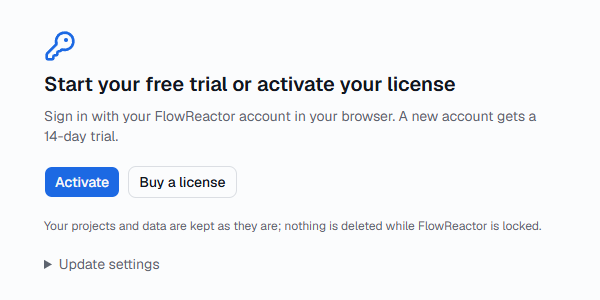
FlowReactor opens on Start your free trial or activate your license. Choose Activate and sign in with your FlowReactor account in your browser. A new account gets a 14-day trial. The details are in Trial, licenses and updates.
Once you're in, FlowReactor starts with a new, untitled project. Continue with the quick start.
Where FlowReactor keeps its files
Projects and preferences are stored on your computer, in the data folder. Settings › Data shows its path with an Open folder button. Log files are in the log folder shown in Settings › Logs & diagnostics.
License credentials are kept in your system's credential store. If none is available, they are kept in a file only you can read.