

HTTP API simulator
Define local HTTP routes with conditional responses, dynamic data and controlled failures.
On this page
The HTTP API simulator stands in for an HTTP API your application calls. You
define routes and the responses they send; FlowReactor answers on
127.0.0.1, and shows every request in the Activity timeline.
Add the simulator
- + Add › HTTP API.
- Check Listens on 127.0.0.1, port (default
18080). - Choose Add HTTP simulator, then Start.
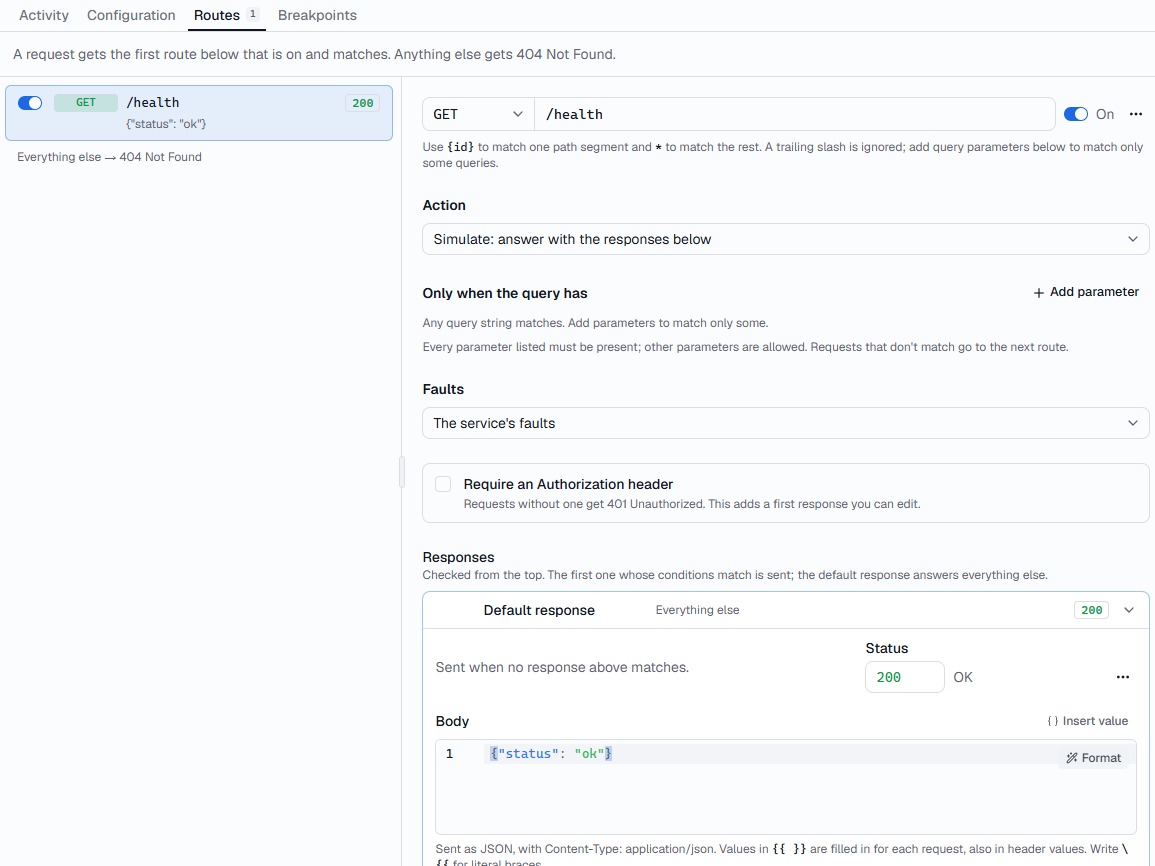
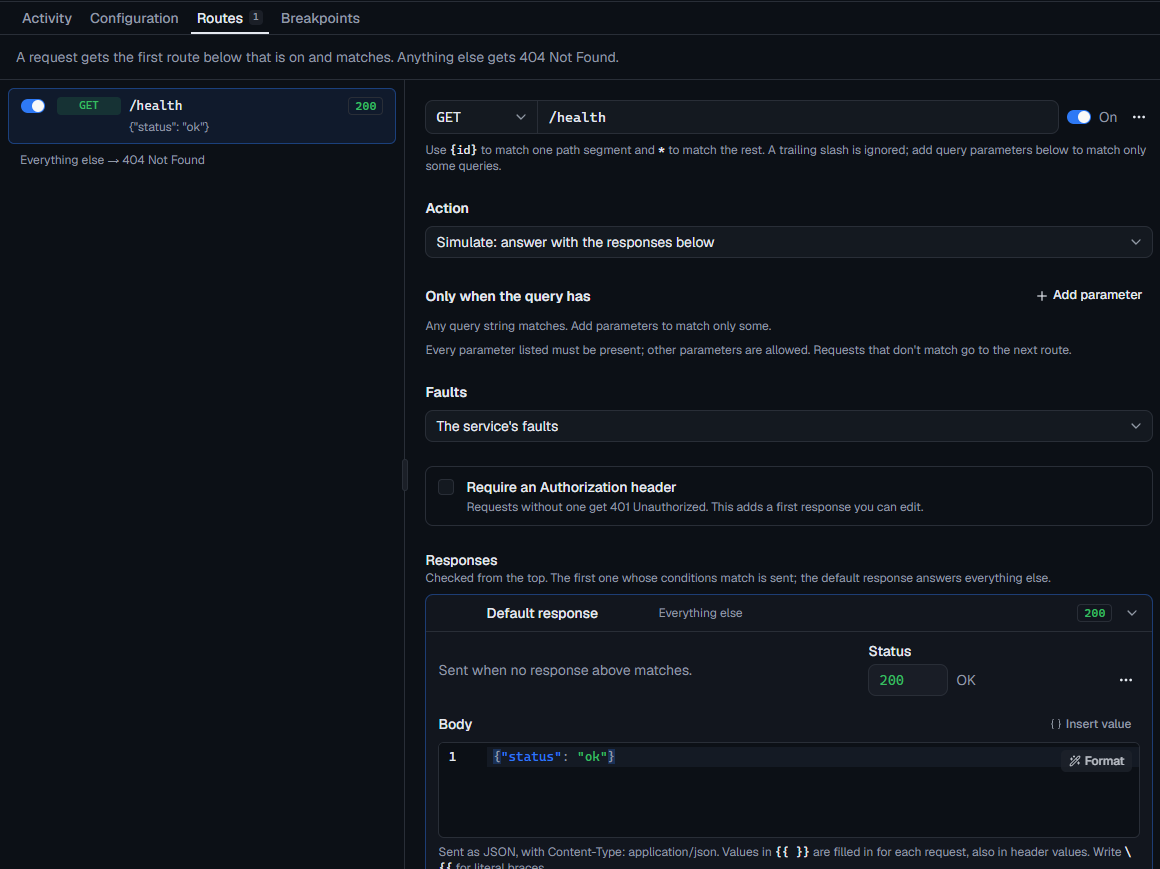
It starts with one example route, GET /health, which answers
{"status": "ok"}. Try it:
curl http://127.0.0.1:18080/health
Then replace the real API's base URL in your application with
http://127.0.0.1:18080. Configuration › Base URL has it with a copy
button.
Routes
Open the Routes tab. A request gets the first route that is on and
matches; anything else gets a 404 Not Found, or is forwarded if the
service has an upstream.
| Field | What it does |
|---|---|
| Method | GET, POST, PUT, PATCH, DELETE, HEAD, OPTIONS, or ANY for every method. |
| Path | Such as /users/{id}. {id} matches one path segment; a final * matches the rest, so /files/* matches /files and /files/a/b. |
| On | Turn a route off to skip it without deleting it. |
A route's Action is Simulate by default: it answers with its
responses, below. Block answers with a status from 400 to 599 (default
403), or drops the connection, without using the responses. Proxy
forwards the request to the service's upstream, if it has one: see
Mock, forward or block a route.
A trailing slash is ignored, and path segments are case-sensitive. A route matches any query string unless you add parameters under Only when the query has: then every parameter listed must be present, other parameters are allowed, and requests without them go to the next route.
Use the route's … menu to move it up or down, since order decides which route answers.
Choose Save routes. Changes apply to the running simulator immediately.
A request no route matches gets a 404 whose JSON body names the request and
lists your routes, so a typo in your application is easy to spot.
Responses
Each route has one or more responses. FlowReactor sends the first response whose conditions match; the last one, Default, is sent when none do.
Each response has a name, a Status, Headers (one Name: value per
line) and a Body. If you don't set Content-Type, a body that starts with
{ or [ is sent as application/json, and anything else as plain text.
Conditions
Add conditions to send a response only to some requests:
| Source | Reads |
|---|---|
| Body field | A JSON or form field, by dot path: user.name, items.0.id. |
| Query | A query-string parameter. |
| Header | A request header (any case). |
| Path parameter | A {name} from the route's path. |
| Body text | The whole body. |
Operators are equals, does not equal, contains, does not contain, matches regex, exists and does not exist. With several conditions, Match chooses whether all or any must pass.
For example, a GET /users/{id} route with a response Not found where
Path parameter id equals 404, status 404, followed by a default
that returns the user.
Bodies and header values can use response templates,
such as {{path.id}} and {{fake.email}}.
Require a token
Turn on Require an Authorization header on a route. Requests without an
Authorization header then get 401 Unauthorized, with
WWW-Authenticate: Bearer and {"error": "unauthorized"}. It adds an editable
first response named Missing Authorization. Only the header's presence is
checked, not its value.
Check which response a request gets
Check which response a request gets, on each route, describes a request (method, path, query string, headers, body) and shows which response would answer it and why each condition matched or not. Nothing is sent. Copy last request fills it in from the last real request to that route.
OAuth token endpoint
Add route › OAuth token endpoint creates POST /oauth/token with ready-made
responses: a password grant for user ann with password secret, a bad
password, a client-credentials grant, and unsupported_grant_type for anything
else. Edit them to match your identity provider.
Pause and fail requests
Click the dot next to a route to add a breakpoint:
requests to that route pause before it answers. Then Continue, Return
status… (such as 503, 429 or 504, with a body you choose) or Drop
connection. See Test retries against a failing API.
To fail a share of requests without pausing them, add HTTP faults under Configuration › Faults. A route's Faults can use The service's faults, None, or Its own faults, which replace the service's for that route.
Limits
- Your application talks to the simulator over plain
http://with HTTP/1.1. HTTPS and HTTP/2 to the simulator, and WebSockets, aren't supported yet. - Request bodies up to 10 MiB; larger ones get
413. - The timeline keeps the first 256 KB of each body. Change it in Configuration › Upstream › Capture limit (each way), from 16 KB to 1 MB.
- No automatic CORS. For a browser application, add the CORS headers to your
responses, and an
OPTIONSroute for preflight requests. Authorization,Proxy-Authorization,Cookie,Set-CookieandX-Api-Keyheaders show as[redacted]in the timeline.