

Cognito simulator
Test sign-in, MFA and token validation with local user pools and test users.
On this page
The Cognito simulator stands in for an Amazon Cognito user pool. Your application signs users in with its normal AWS SDK, including SRP, and validates the tokens it gets back as usual. Users, codes and tokens stay on your computer.
Add the simulator
- + Add › Cognito.
- Check Listens on 127.0.0.1, port (default
9229). - Choose Add Cognito simulator, then Start.
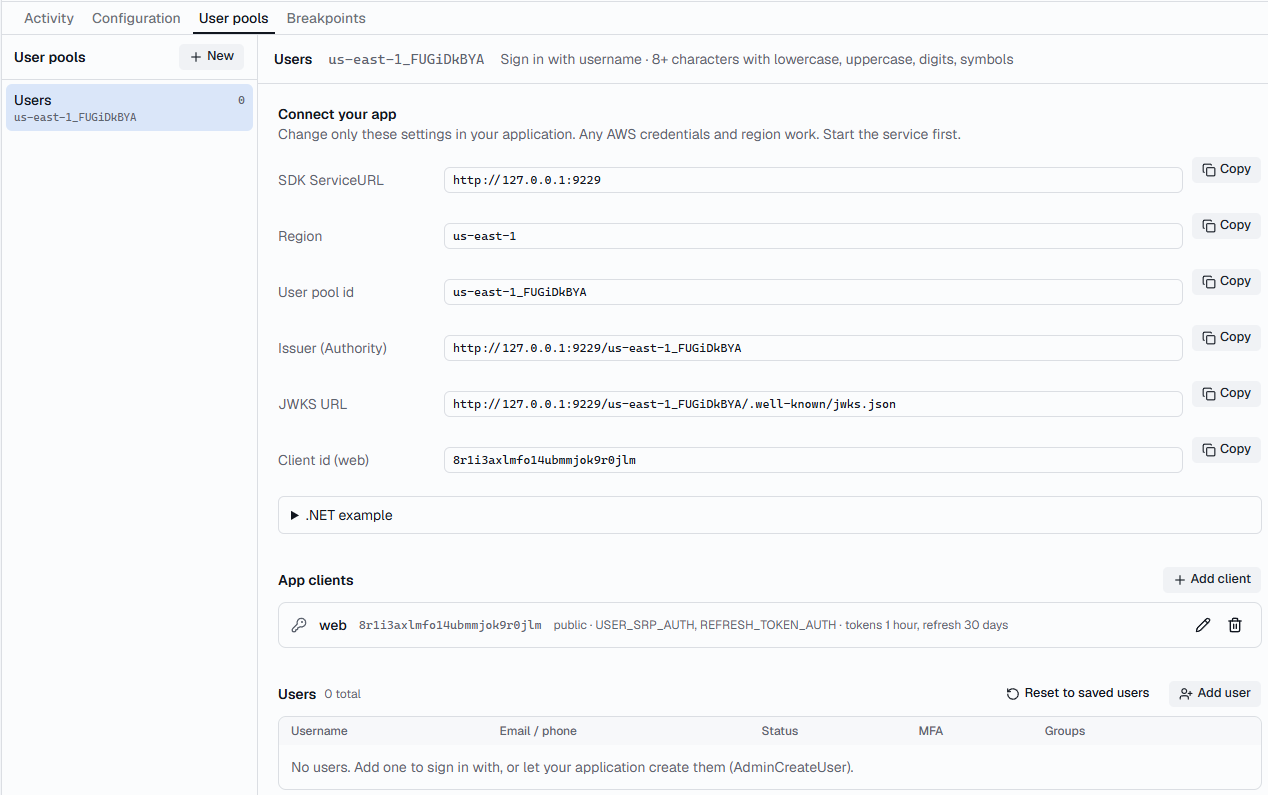
It starts with one user pool and a public app client named web, with
USER_SRP_AUTH and REFRESH_TOKEN_AUTH turned on. Add test users under
User pools, or let your application create them.
Connect your application
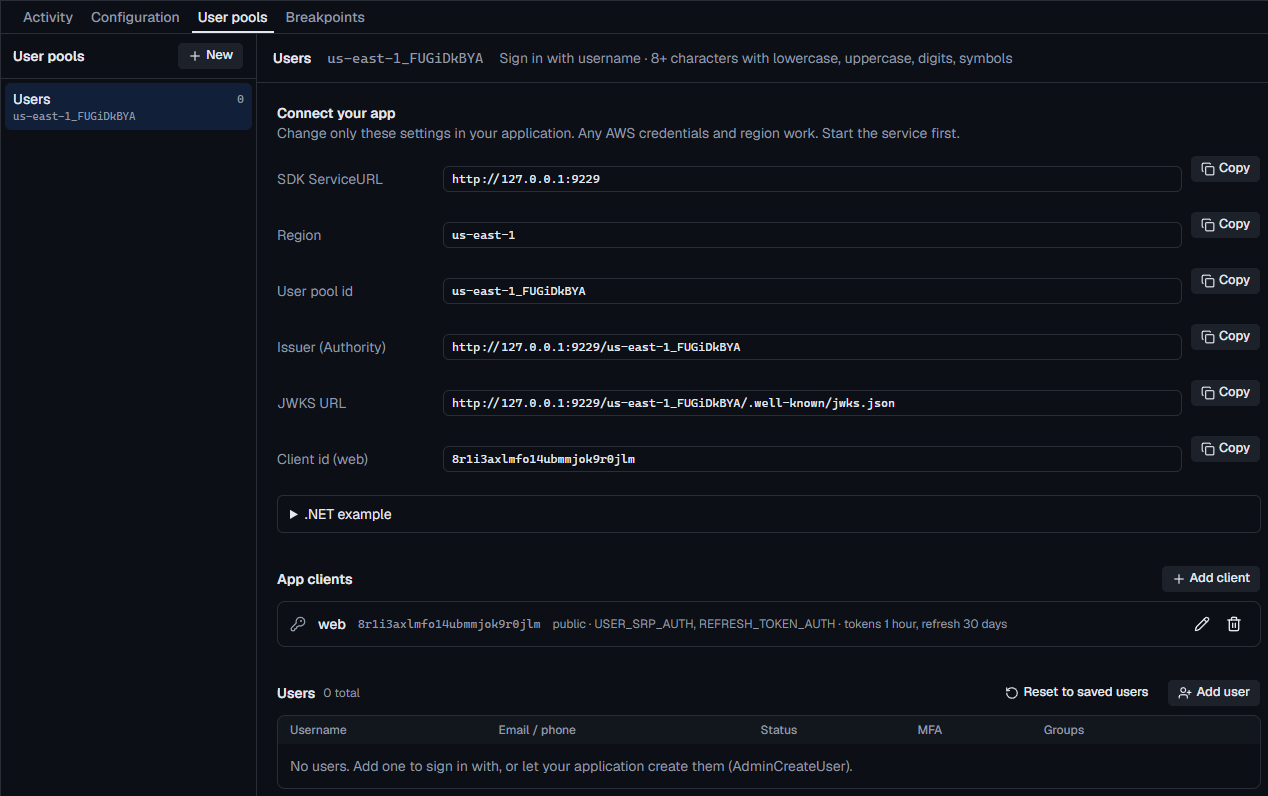
User pools › Connect your app lists everything to change, with copy buttons: the SDK ServiceURL, Region, User pool id, Issuer (Authority), JWKS URL, and each app client's id and secret. Any AWS credentials and region work.
Sign users in
// AWSSDK.CognitoIdentityProvider
var config = new AmazonCognitoIdentityProviderConfig
{
    ServiceURL = "http://127.0.0.1:9229",
};
var cognito = new AmazonCognitoIdentityProviderClient(
    new BasicAWSCredentials("local", "local"), config);
// @aws-sdk/client-cognito-identity-provider
import { CognitoIdentityProviderClient } from '@aws-sdk/client-cognito-identity-provider'

const cognito = new CognitoIdentityProviderClient({
  endpoint: 'http://127.0.0.1:9229',
  region: 'us-east-1',
  credentials: { accessKeyId: 'local', secretAccessKey: 'local' },
})
# boto3
import boto3

cognito = boto3.client(
    "cognito-idp",
    endpoint_url="http://127.0.0.1:9229",
    region_name="us-east-1",
    aws_access_key_id="local",
    aws_secret_access_key="local",
)
Validate tokens
The issuer is http://127.0.0.1:9229/<pool id>, and its keys are at
<issuer>/.well-known/jwks.json (OpenID discovery is at
<issuer>/.well-known/openid-configuration). Copy both from Connect your
app.
// ASP.NET Core
builder.Services.AddAuthentication().AddJwtBearer(options =>
{
    options.Authority = "http://127.0.0.1:9229/us-east-1_example";
    options.RequireHttpsMetadata = false; // the simulator speaks plain HTTP
    options.TokenValidationParameters.ValidateAudience = false; // access tokens carry client_id, not aud
});
// jose
import { createRemoteJWKSet, jwtVerify } from 'jose'

const issuer = 'http://127.0.0.1:9229/us-east-1_example'
const jwks = createRemoteJWKSet(new URL(`${issuer}/.well-known/jwks.json`))
const { payload } = await jwtVerify(accessToken, jwks, { issuer })
# PyJWT
import jwt

issuer = "http://127.0.0.1:9229/us-east-1_example"
keys = jwt.PyJWKClient(f"{issuer}/.well-known/jwks.json")
key = keys.get_signing_key_from_jwt(access_token)
claims = jwt.decode(
    access_token, key.key, algorithms=["RS256"], issuer=issuer,
    options={"verify_aud": False},  # access tokens carry client_id, not aud
)
Tokens are signed with RS256, with a key per user pool. Like Cognito, ID tokens
have aud set to the client id, and access tokens carry client_id instead.
What's supported
| Area | Support |
|---|---|
| Sign-in | InitiateAuth and AdminInitiateAuth with SRP (USER_SRP_AUTH), USER_PASSWORD_AUTH, ADMIN_USER_PASSWORD_AUTH and REFRESH_TOKEN_AUTH |
| Challenges | RespondToAuthChallenge for SRP, new password required, SMS and authenticator-app MFA, MFA setup and choosing an MFA type |
| MFA | AssociateSoftwareToken, VerifySoftwareToken, SetUserMFAPreference and their admin forms |
| Users | GetUser, AdminGetUser, AdminCreateUser, AdminDeleteUser, AdminEnableUser, AdminDisableUser, AdminSetUserPassword, AdminUpdateUserAttributes |
| Sign-out | GlobalSignOut, RevokeToken |
User pools, app clients and users
The User pools tab holds everything about each pool:
- Settings: the pool id (change it to match your application's), what users sign in with, the password policy, and Multi-factor authentication: Off, Optional or Required for everyone, with authenticator apps and SMS.
- App clients: the client id (use your application's existing one), whether it has a client secret, which sign-in flows it allows, and token lifetimes. Defaults are 60 minutes for access and ID tokens, and 30 days for refresh tokens.
- Users: username, password, status, attributes such as
emailorcustom:tenant, groups (in thecognito:groupsclaim), and MFA. An authenticator user shows its current code, so you can sign in without a phone.
Messages
Codes that Cognito would email or text, such as temporary passwords from
AdminCreateUser and SMS sign-in codes, appear in Messages in the
sidebar, with a copy button for the code. Nothing is sent. Turn off the pop-ups
in Settings › Notifications.


Test sign-in failures
Add a breakpoint and Return error… with
NotAuthorizedException, TooManyRequestsException, LimitExceededException,
CodeDeliveryFailureException, TooManyFailedAttemptsException or
InternalErrorException to see how your sign-in screens cope. For MFA, see
Test sign-in and MFA without a real Cognito.