

MySQL and MariaDB proxy
Inspect MySQL and MariaDB queries and prepared statements, add latency and test failures.
On this page
The MySQL proxy sits between your application and a real MySQL or MariaDB database. Your application connects to FlowReactor instead of the database; FlowReactor passes everything on, and shows you each query.
Your application keeps its own user, password and database. Only the host and port change.
Add the proxy
- + Add › MySQL.
- Set Real database host and its Port (default
localhost,3306). - Check FlowReactor listens on 127.0.0.1, port (default
13306). - Choose Add MySQL proxy, then Start.
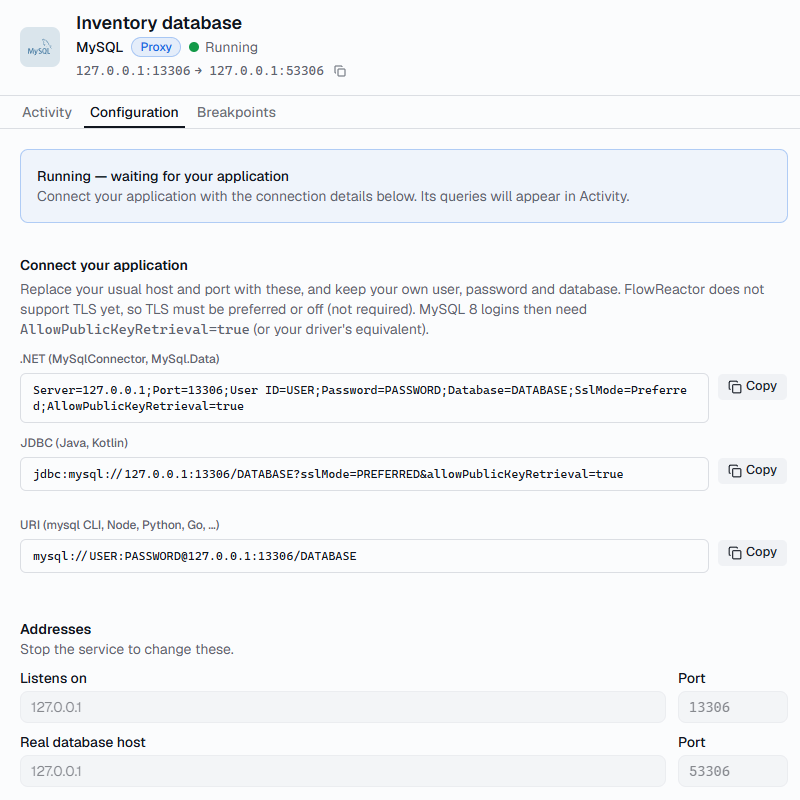
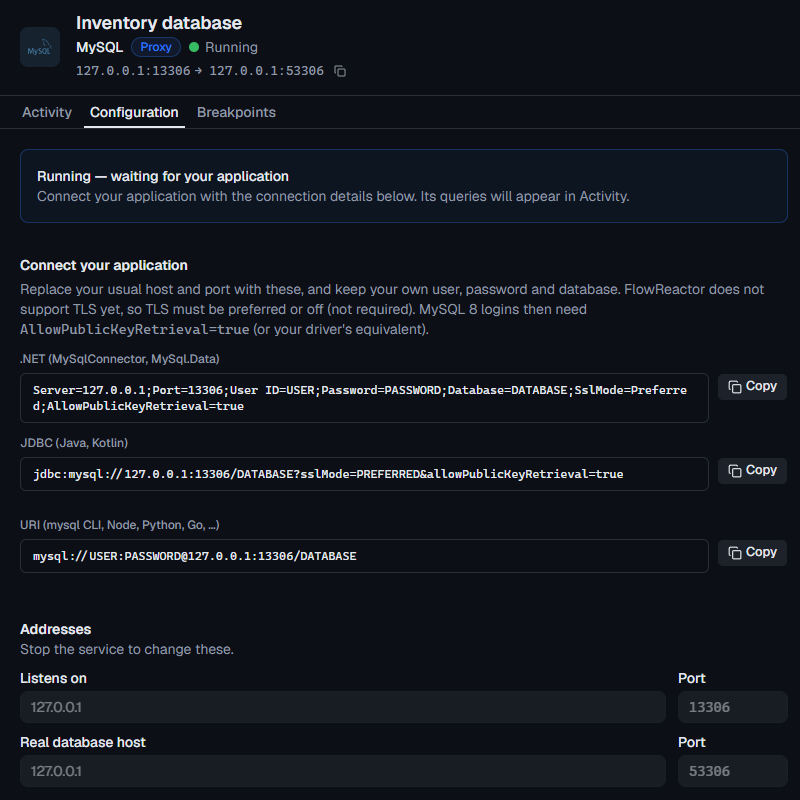
Connect your application
Point your connection at 127.0.0.1 and the proxy's port, without requiring
TLS. Configuration › Connect your application has these with copy buttons.
// MySqlConnector or MySql.Data
var connectionString =
    "Server=127.0.0.1;Port=13306;User ID=app;Password=secret;Database=shop;" +
    "SslMode=Preferred;AllowPublicKeyRetrieval=true";
// mysql2: leave out the ssl option
import mysql from 'mysql2/promise'

const pool = mysql.createPool({
  host: '127.0.0.1',
  port: 13306,
  user: 'app',
  password: 'secret',
  database: 'shop',
})
# PyMySQL: don't pass ssl options
import pymysql

conn = pymysql.connect(
    host="127.0.0.1", port=13306, user="app", password="secret", database="shop"
)
Java uses
jdbc:mysql://127.0.0.1:13306/shop?sslMode=PREFERRED&allowPublicKeyRetrieval=true,
and the mysql command line and other tools take
mysql://app:[email protected]:13306/shop.
Inspect forwarded requests
Each query and each execution of a prepared statement appears in the
Activity timeline. Other commands, such as USE or
PING, appear only when they fail. The Operation is the SQL's first
keyword.
- Query shows the SQL, a prepared statement's parameters, and the rows affected, last insert ID and warnings.
- Results shows up to 20 rows of each result set.
- Timing separates the database's time from any pause or injected latency.
A prepared statement created before FlowReactor saw the connection shows as
EXECUTE with statement N, because its SQL is unknown.
Configure latency and failures
- Slow every query: set Latency under Faults. See Test how your app handles a slow database.
- Drop a connection: Active connections › Drop.
- Pause and fail one query: add a breakpoint, then Return error… with a MySQL error number.
| Error number | Error |
|---|---|
1213 |
Deadlock found when trying to get lock |
1205 |
Lock wait timeout exceeded |
1062 |
Duplicate entry |
1040 |
Too many connections |
3024 |
Maximum statement execution time exceeded |
1290 |
Server is running with --read-only |
1146 |
Table doesn't exist |
You can enter any error number from 1000 to 9999 and your own message.
FlowReactor sends the matching SQLSTATE, such as 40001 for a deadlock.
When it can't connect
If the real database can't be reached, the timeline says Could not reach upstream, with the reason. If the database refuses the login, it says Login refused by the server, with the server's message. See Troubleshooting.