

Test sign-in and MFA
Test your application's Cognito sign-in, new-password and MFA screens locally with FlowReactor, using authenticator and SMS codes shown in the app instead of a phone.
On this page
Use the Cognito simulator to test sign-in, password changes and MFA challenges locally. Verification codes appear in FlowReactor, so you can complete these flows without sending SMS messages.
Before you start
Add a Cognito simulator, point your application's SDK and token validation at it (see Connect your application), and set its app client id to the one your application uses. Make sure the client allows the sign-in flow your application uses, such as SRP.
Create a test user
On User pools, add a user with a username, a password and, for SMS, a
phone_number attribute. Set the status to Confirmed to sign in straight
away, or Must change password to test your new-password screen.
Turn on MFA
In the pool's Settings, set Multi-factor authentication to Required for everyone and tick Authenticator app, SMS text message, or both.
When MFA is required, after the password:
- users with a phone number get an SMS code, shown in Messages;
- users with an authenticator app are asked for its code;
- everyone else is asked to set one up.
Authenticator app
First sign-in: your application gets the MFA_SETUP challenge and calls
AssociateSoftwareToken. The user's page in FlowReactor then shows Your app
is setting up an authenticator with the current code to pass to
VerifySoftwareToken.
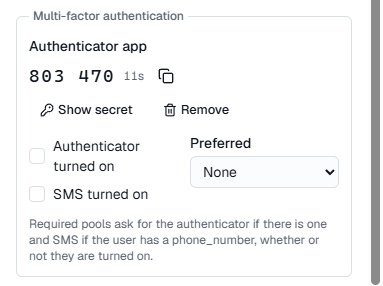
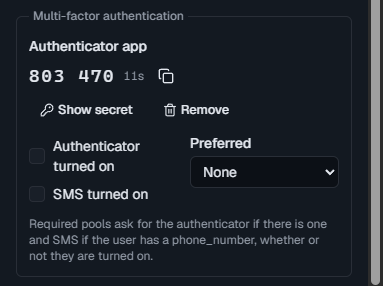
Later sign-ins: your application gets SOFTWARE_TOKEN_MFA. Open the user
in FlowReactor: Authenticator app shows the current code with Copy
code. No phone needed.
SMS
Your application gets SMS_MFA. The code appears in Messages in the
sidebar as a Sign-in code to the user's masked phone number, with a copy
button, and as a pop-up unless you turned those off.
Test the failures
- A wrong code: enter it; your application gets
CodeMismatchException. - Too many attempts or requests: add a breakpoint
on the Cognito simulator, then Return error… with
TooManyFailedAttemptsExceptionorTooManyRequestsException. - The SMS never arrives: return
CodeDeliveryFailureException. - A disabled user: call
AdminDisableUserfor the user, then sign in again.
Every step appears in Activity with the flow and the challenge, and the issued tokens' claims, so you can see exactly where a sign-in stopped.
Start over
Reset to saved users puts users back to the ones saved with the project and signs everyone out. Users your application created while testing are removed.